

/bench directory of the Bun repo.
Measuring time
To precisely measure time, Bun offers two runtime APIs functions:- The Web-standard
performance.now()function Bun.nanoseconds()which is similar toperformance.now()except it returns the current time since the application started in nanoseconds. You can useperformance.timeOriginto convert this to a Unix timestamp.
Benchmarking tools
When writing your own benchmarks, it’s important to choose the right tool.- For microbenchmarks, a great general-purpose tool is
mitata. - For load testing, you must use an HTTP benchmarking tool that is at least as fast as
Bun.serve(), or your results will be skewed. Some popular Node.js-based benchmarking tools likeautocannonare not fast enough. We recommend one of the following: - For benchmarking scripts or CLI commands, we recommend
hyperfine.
Measuring memory usage
Bun has two heaps. One heap is for the JavaScript runtime and the other heap is for everything else.JavaScript heap stats
Thebun:jsc module exposes a few functions for measuring memory usage:
View example statistics
View example statistics

bun:jsc module to take a heap snapshot and then view it with Safari or WebKit GTK developer tools. To generate a heap snapshot:
heap.json file in Safari’s Developer Tools (or WebKit GTK)
- Open the Developer Tools
- Click “Timeline”
- Click “JavaScript Allocations” in the menu on the left. It might not be visible until you click the pencil icon to show all the timelines
- Click “Import” and select your heap snapshot JSON
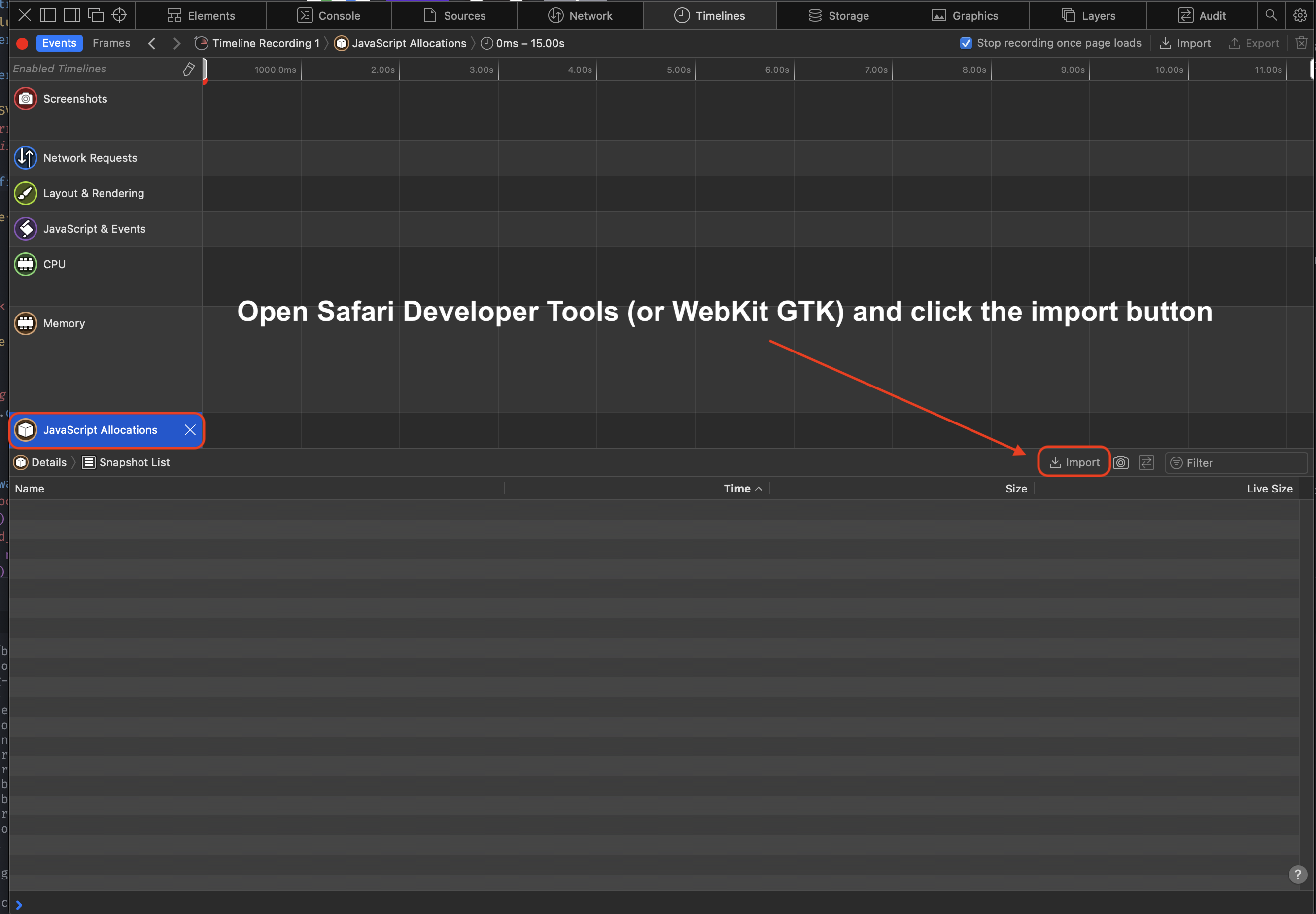
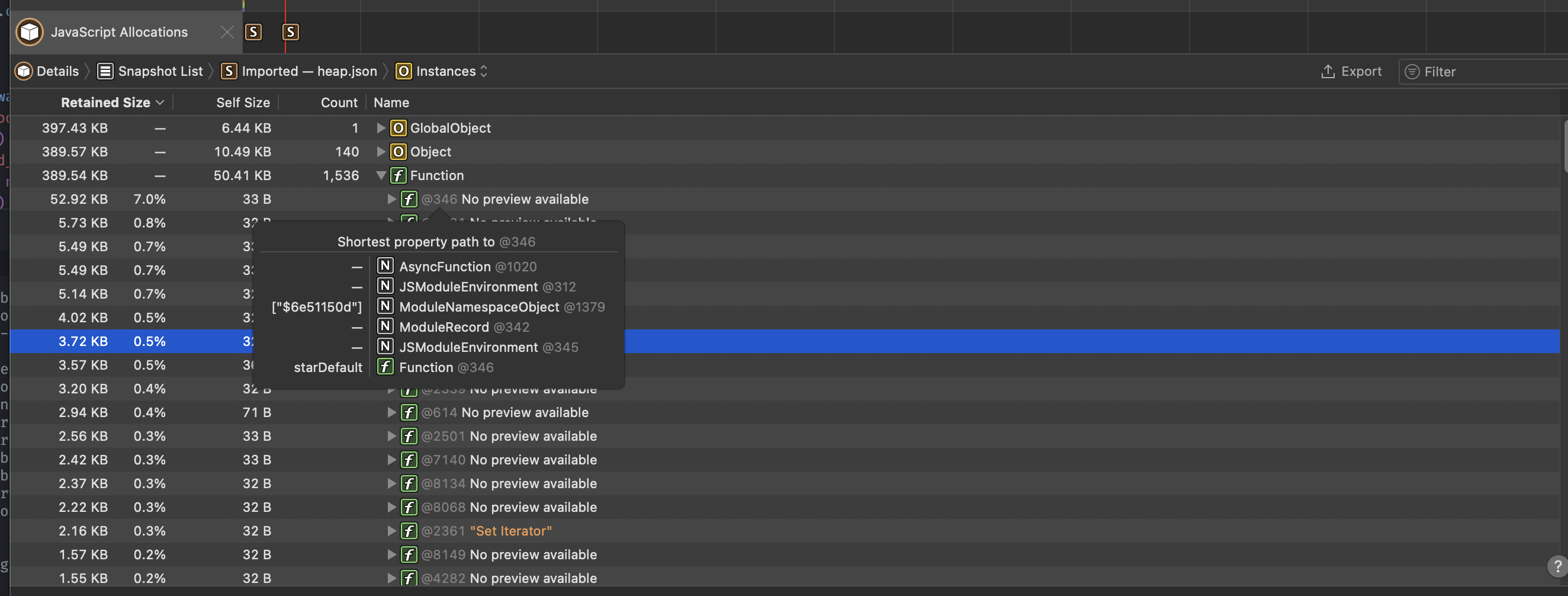
The web debugger also offers the timeline feature which allows you to track and examine the memory usage of the running debug session.
Native heap stats
Bun uses mimalloc for the other heap. To report a summary of non-JavaScript memory usage, set theMIMALLOC_SHOW_STATS=1 environment variable. and stats will print on exit.
terminal
CPU profiling
Profile JavaScript execution to identify performance bottlenecks with the--cpu-prof flag.
terminal
.cpuprofile file you can open in Chrome DevTools (Performance tab → Load profile) or VS Code’s CPU profiler.
Markdown output
Use--cpu-prof-md to generate a markdown CPU profile, which is grep-friendly and designed for LLM analysis:
terminal
--cpu-prof and --cpu-prof-md can be used together to generate both formats at once:
terminal
BUN_OPTIONS environment variable:
terminal
Options
terminal
| Flag | Description |
|---|---|
--cpu-prof | Generate a .cpuprofile JSON file (Chrome DevTools format) |
--cpu-prof-md | Generate a markdown CPU profile (grep/LLM-friendly) |
--cpu-prof-name <filename> | Set output filename |
--cpu-prof-dir <dir> | Set output directory |
Heap profiling
Generate heap snapshots on exit to analyze memory usage and find memory leaks.terminal
.heapsnapshot file that can be loaded in Chrome DevTools (Memory tab → Load).
Markdown output
Use--heap-prof-md to generate a markdown heap profile for CLI analysis:
terminal
If both
--heap-prof and --heap-prof-md are specified, the markdown format is used.Options
terminal
| Flag | Description |
|---|---|
--heap-prof | Generate a V8 .heapsnapshot file on exit |
--heap-prof-md | Generate a markdown heap profile on exit |
--heap-prof-name <filename> | Set output filename |
--heap-prof-dir <dir> | Set output directory |